
1 site
$49per year
One production store.
Buy for 1 site¿Prefieres español? Cambiar a español
Daybound puts a real delivery-date calendar inside the WooCommerce block checkout. Unavailable days are disabled, every date is checked again on the server, and the choice is saved with the order.
No credit card for the trial. Requires WooCommerce 8.3+ with the Cart & Checkout blocks.
Select a delivery date
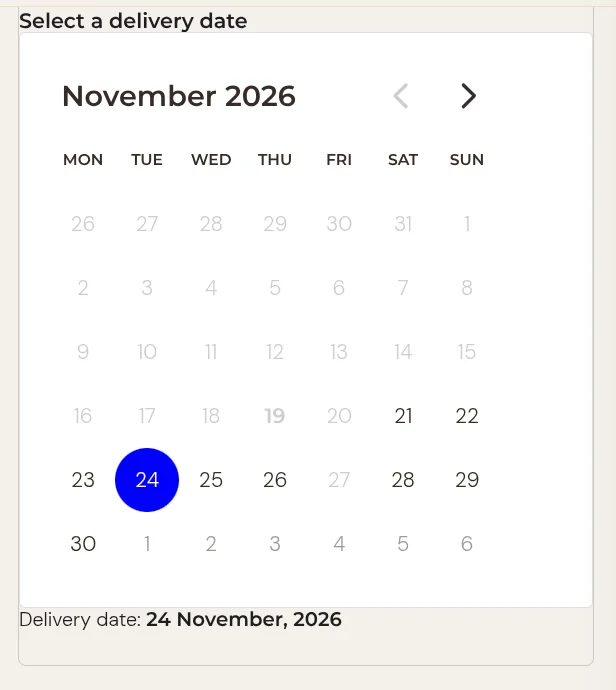
Delivery date
Pick a day
Try the calendar. Past days, lead time and blackout dates are blocked.
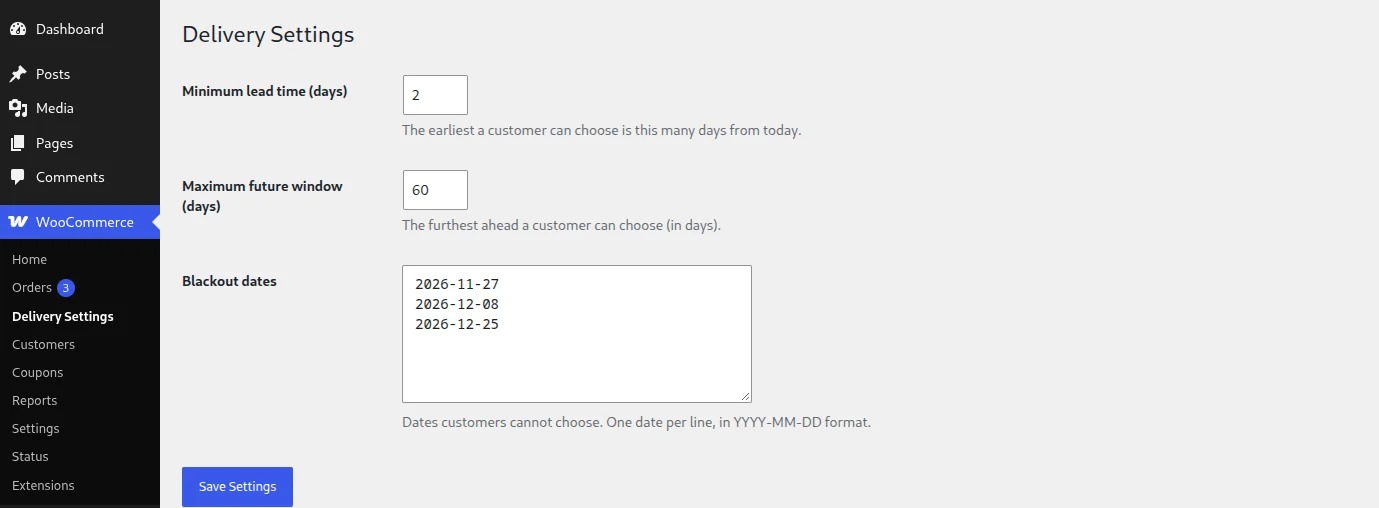
Open WooCommerce → Delivery Settings. Choose a minimum lead time, a maximum window and your blackout dates, such as holidays or closed days.
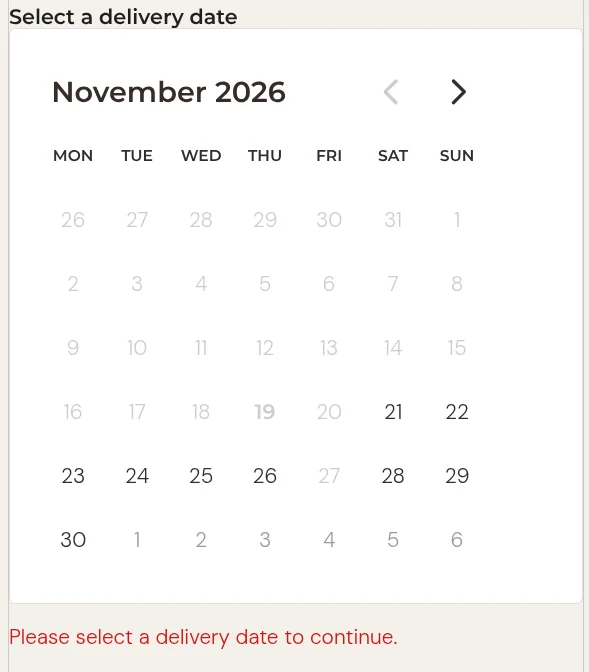
The Select a delivery date field appears inside the block checkout form. Leave it empty and WooCommerce's own validation blocks Place Order.
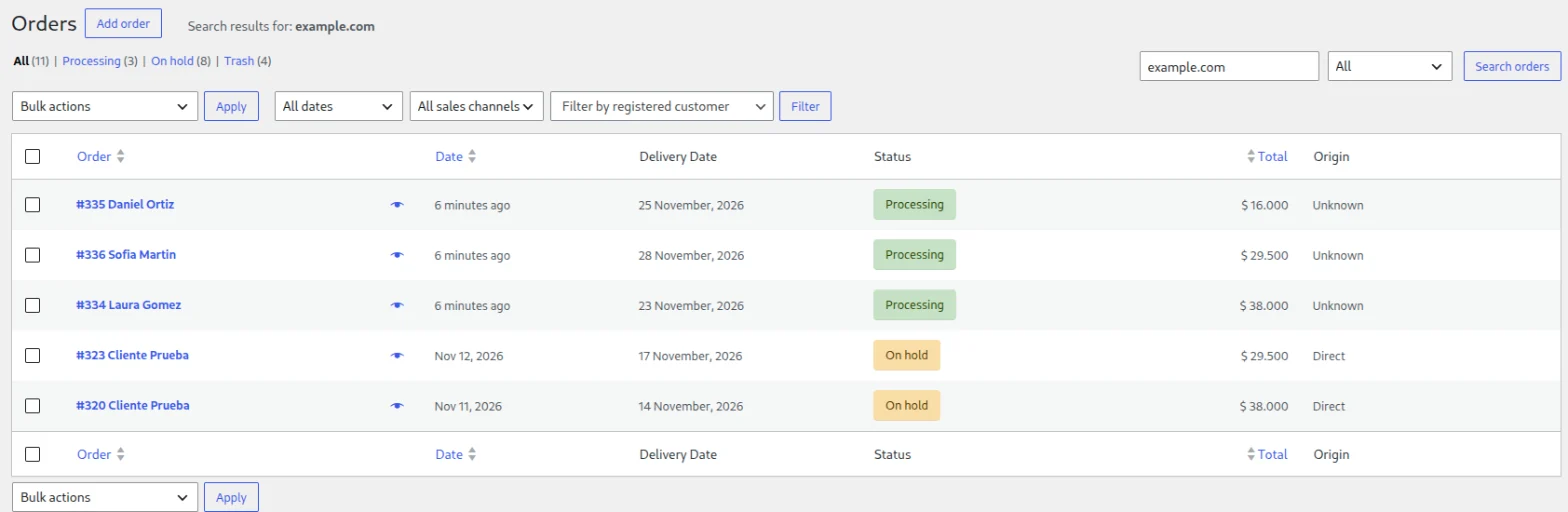
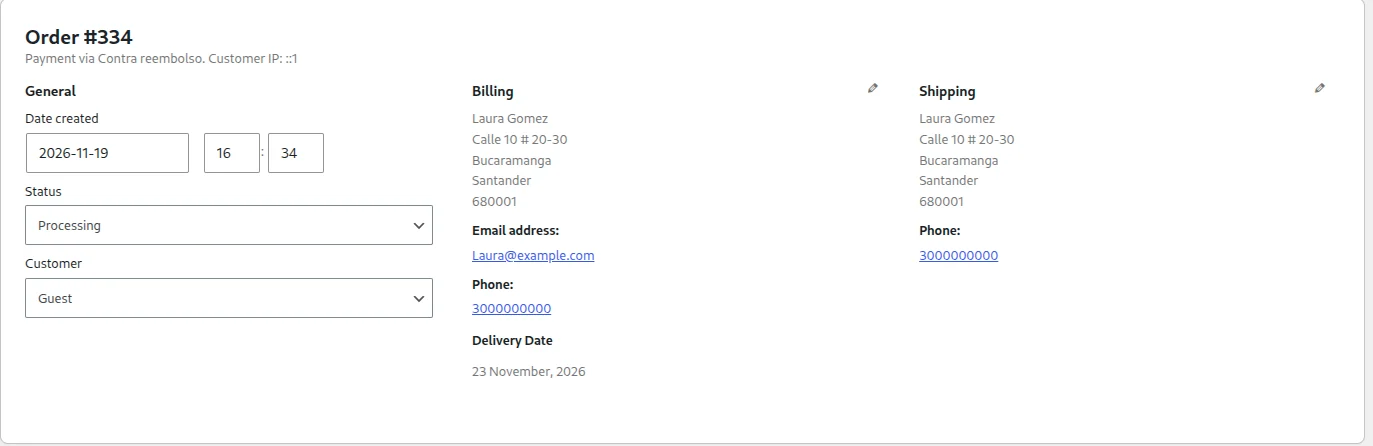
The date is saved as order meta, shown in a column on the orders list and on the order screen, and repeated to the customer in the order totals.
Dates are computed in your store timezone, and the server re-validates every date before it is accepted. The calendar is a convenience, not the security boundary.
The free plugin on WordPress.org does the whole date-picking job. Pro adds the controls busy stores ask for once volume grows.
| Feature | Free | Pro |
|---|---|---|
| Delivery date picker in the block checkout (Cart & Checkout blocks) | Included | Included |
| Minimum lead time, maximum future window and blackout dates | Included | Included |
| Server-side validation of every date | Included | Included |
| Native Place Order blocking when no date is chosen | Included | Included |
| Date on the orders list, order screen and customer order totals | Included | Included |
| Translatable, Spanish included; HPOS compatible | Included | Included |
| Personal data export and erase (since 1.0.1) | Included | Included |
| Order cut-off time | Not included | Included |
| Delivery time slots | Not included | Included |
| Daily capacity limits | Not included | Included |
| CSV export of deliveries | Not included | Included |
Screenshots from the plugin as it ships on WordPress.org.
Every Pro plan includes cut-off times, time slots, capacity limits and CSV export. Pick how many sites you run. The trial needs no credit card.
$49per year
One production store.
Buy for 1 site$99per year
About $19.80 per site.
Buy for 5 sites$179per year
About $7.16 per site. Built for agencies.
Buy for 25 sitesNot sure yet? Start with the 7-day Pro trial, no credit card required, or install the free plugin and upgrade later.
Payments are processed by Freemius. See the refund policy and terms.
No. Version 1.0 targets the WooCommerce block checkout, which has been the default since WooCommerce 8.3. If your store still uses the classic shortcode checkout, switch to the block checkout to use Daybound.
WordPress 6.6+, WooCommerce 8.3+ and PHP 8.0+, with the Cart & Checkout blocks. It declares High-Performance Order Storage (HPOS) compatibility, so it works with or without HPOS enabled.
On the order, as order meta in your own store database. Daybound also hooks into WooCommerce's personal data export and erase tools, so dates are included in exports and removed when an order is anonymized.
No. Every date is re-validated on the server from your configuration: today, lead time, blackout list, timezone and maximum window. Anything the browser claims is ignored.
It falls back to a native date input. If a date cannot be saved at order time, the order still completes and the issue is logged in WooCommerce → Status → Logs, so you can agree a date with the customer.
You get 7 days of Pro with no credit card. The trial opens on Freemius's hosted checkout.
Refunds for Pro purchases are covered in the refund policy.
Use the support forum on WordPress.org, or write to edinson12091@outlook.com.